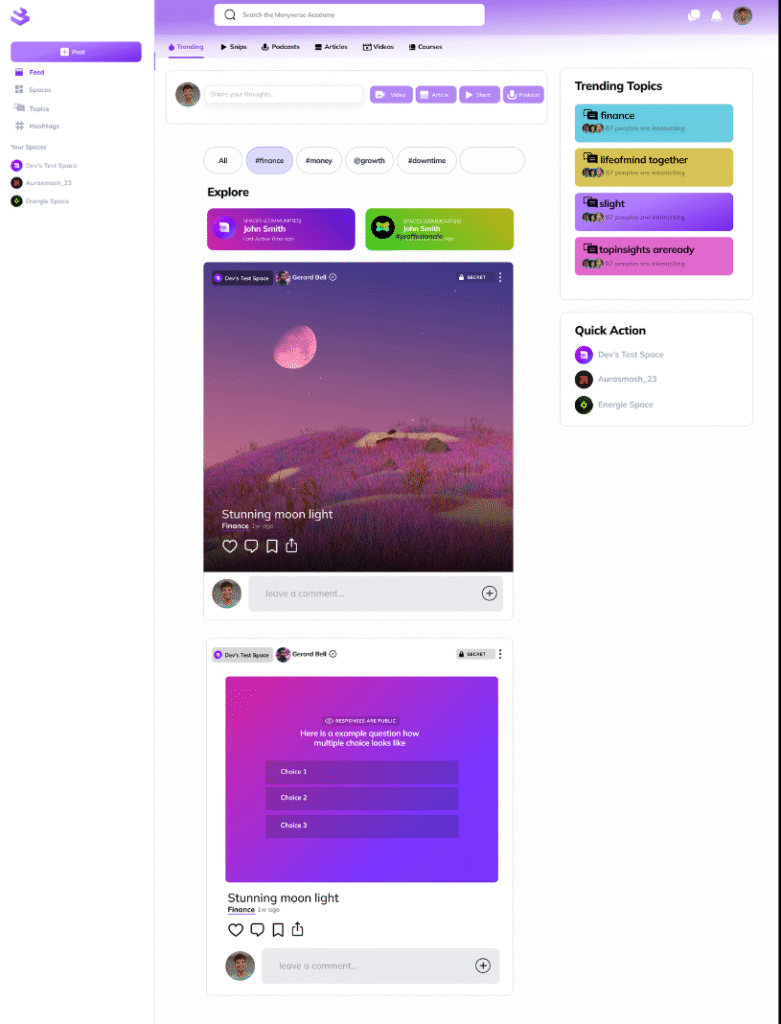
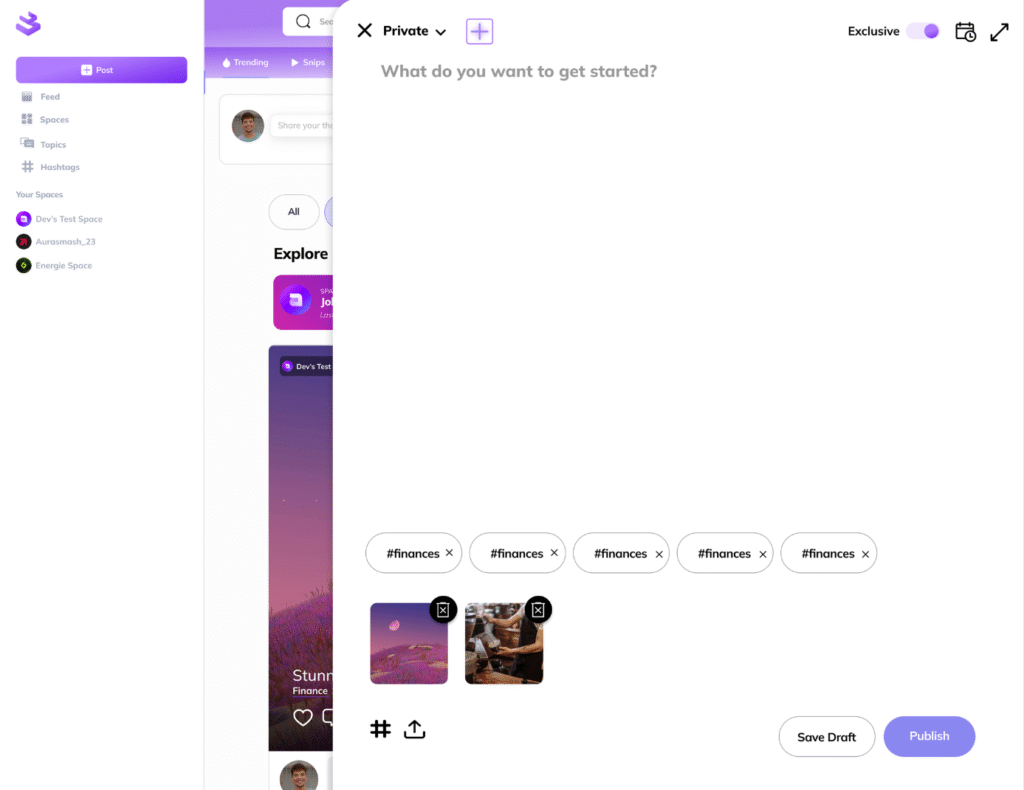
From your Feed select ‘+ Post’ button from the top right corner.
You can create a Regular Post sharing your thoughts, comments, insights and expertise. This type of posting allows you to upload images for a static image post or multiple to create a carousel. Tribiut allows you to add hastags that are relevant to your content.
Tribiut allows its creators to Schedule their content in advance so as to have a regular posting schedule.
To schedule your content click on the calendar icon on the top right corner.
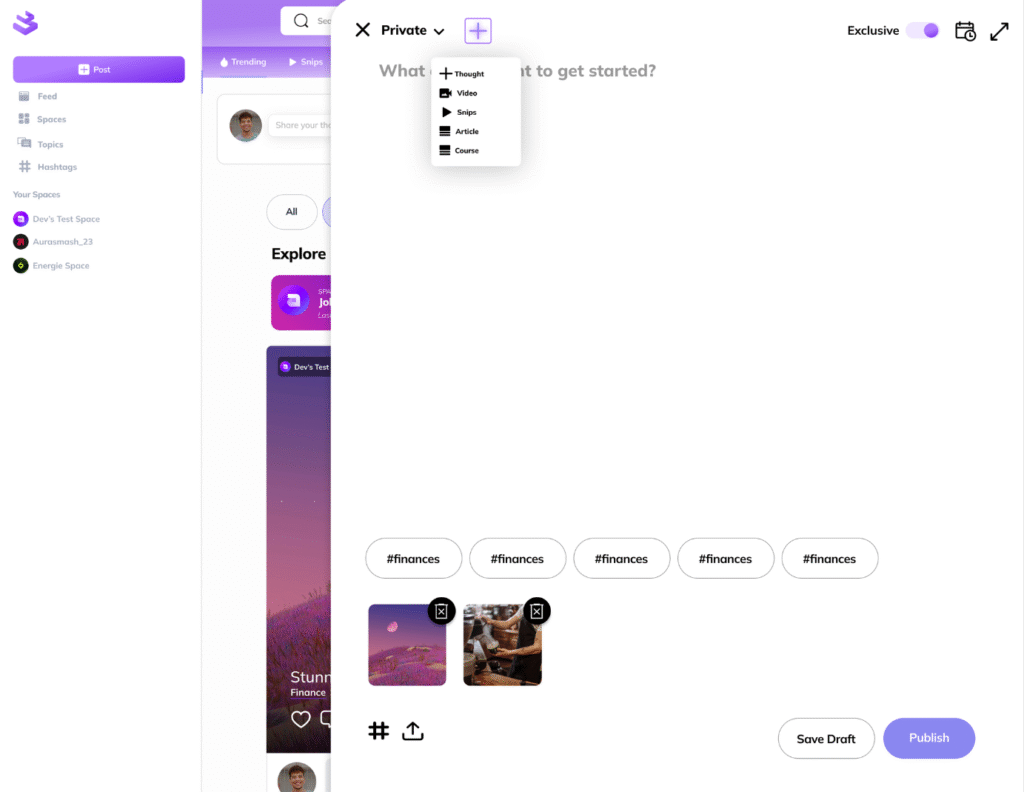
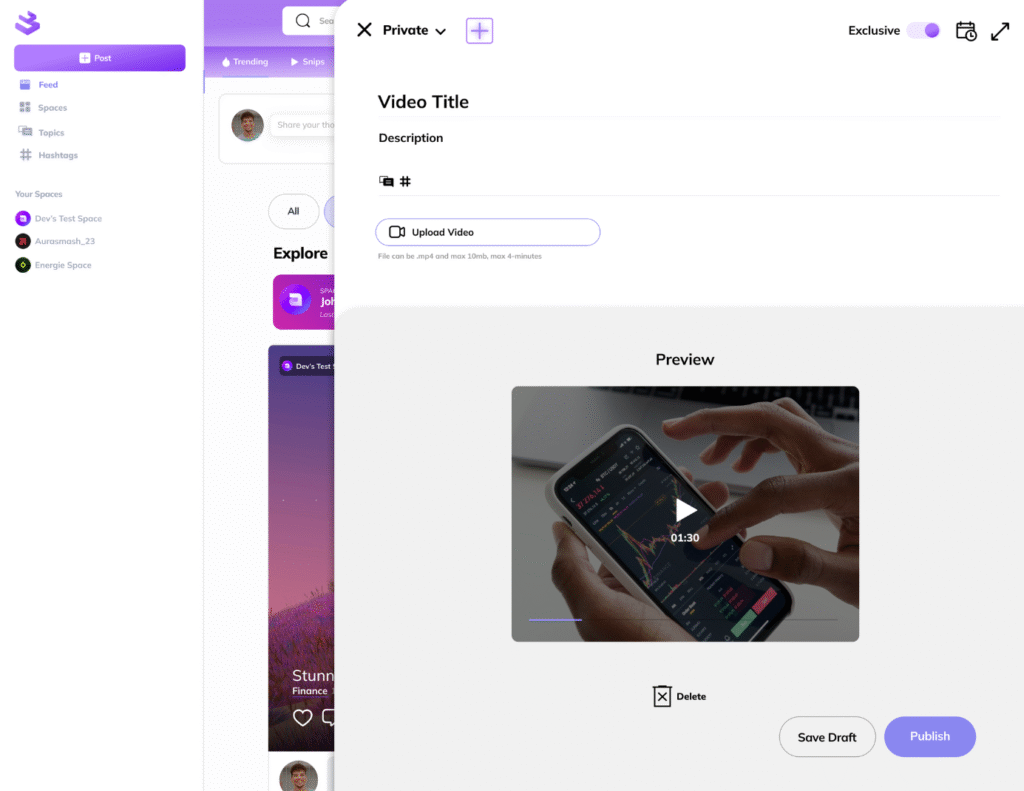
Click on the Purple Plus (+) icon to open up a dropdown menu. This dropdown menu give you the option to select between Multiple Posts Types:
Thoughts
Videos
Snips
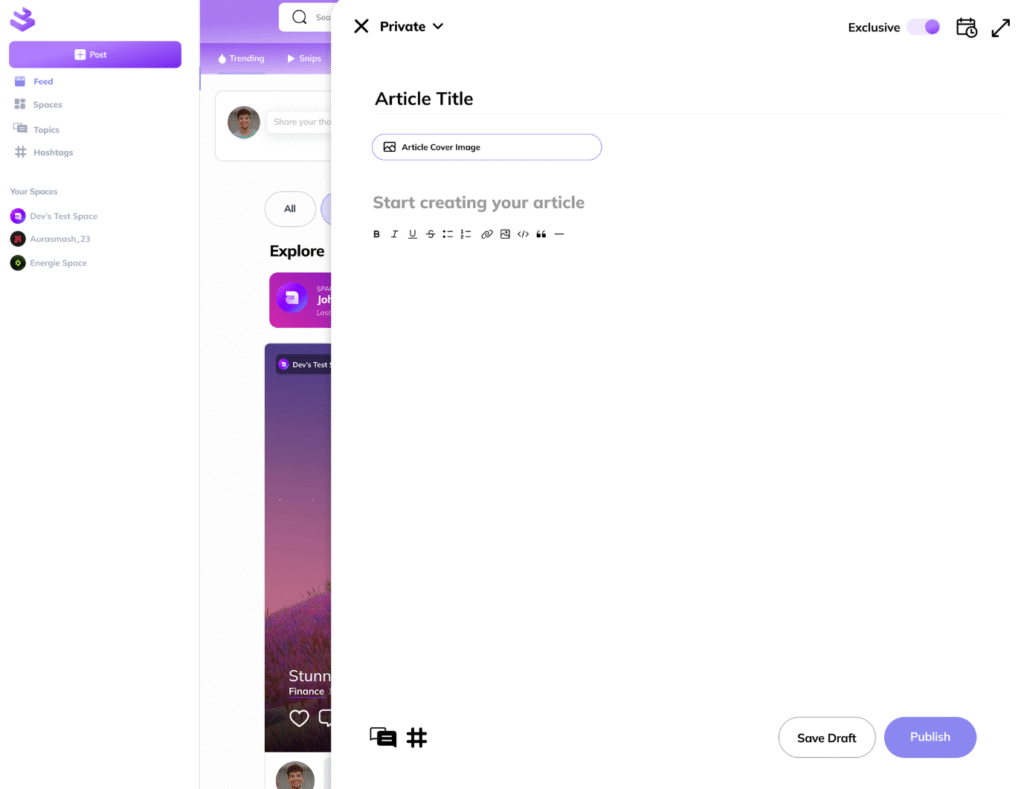
Articles
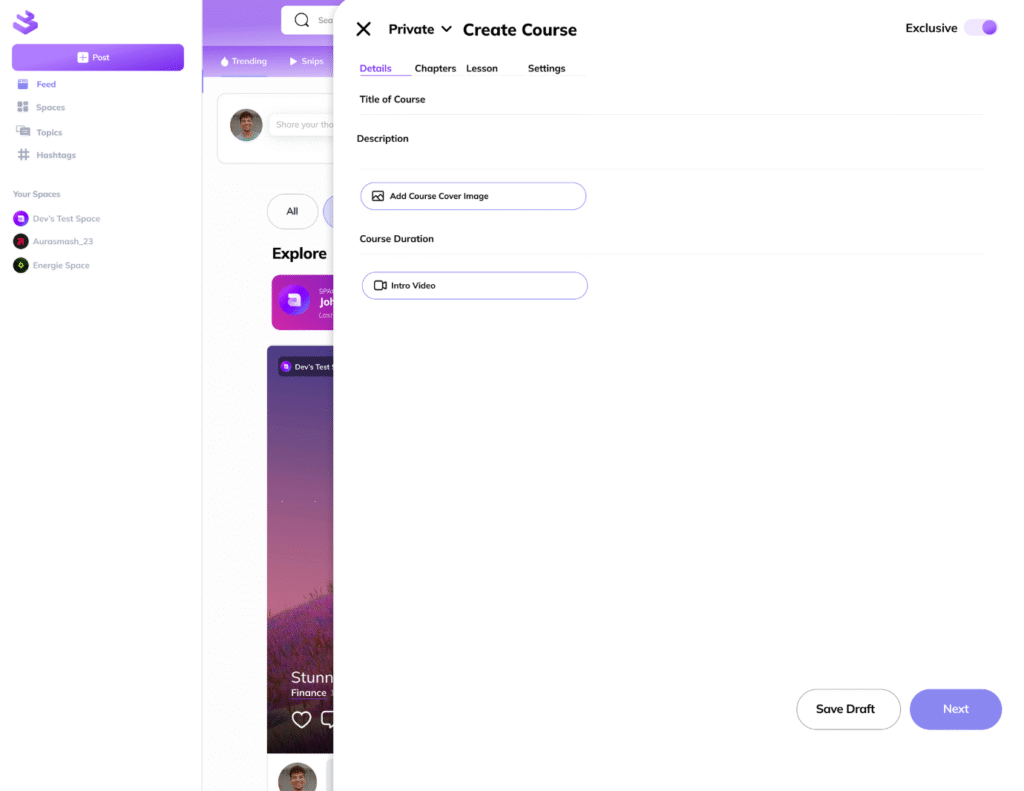
Courses
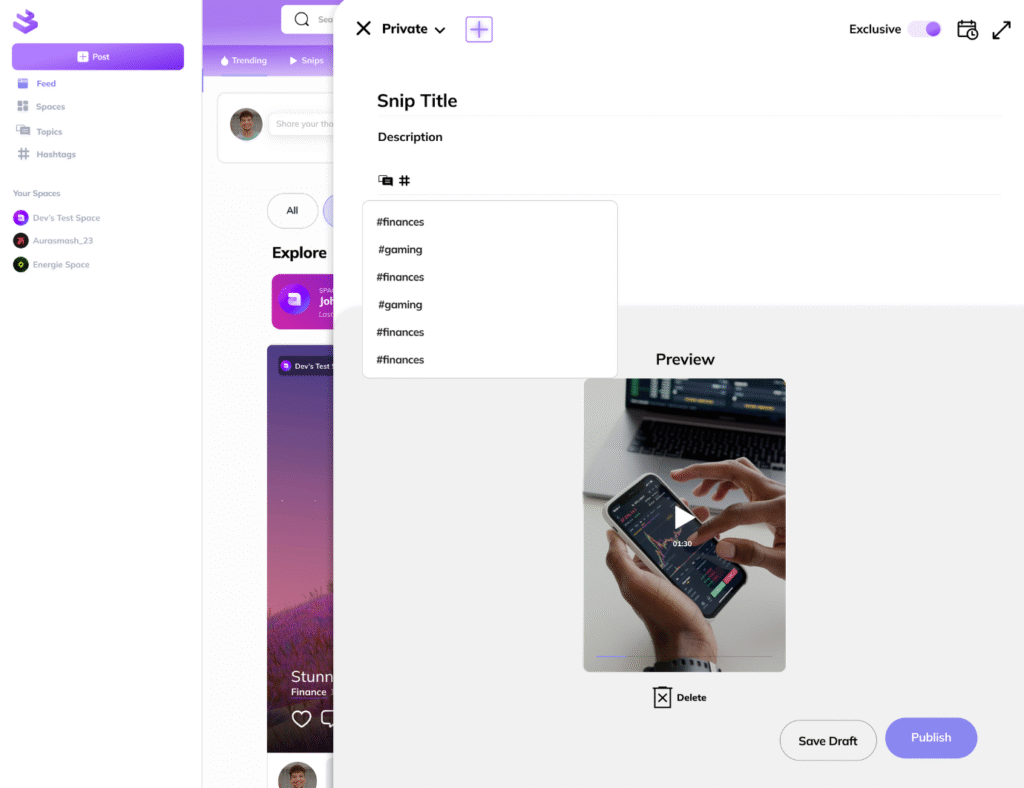
Apart from the creative content a Snip and a Video post requires a title and description of the content.
Create Articles
A Tribiut Article is like a blog post. Articles on Tribiut require a Title and a Cover Image.
Tribiut allows for limited formatting on posted articles such as bullet points, italic, bold and hyperlinks.
Create Courses
To create a Course on Tribiut creators need to start by adding a Title and description of their course to the Details. Tribiut allows creators to add a cover image and a short intro video about the course.
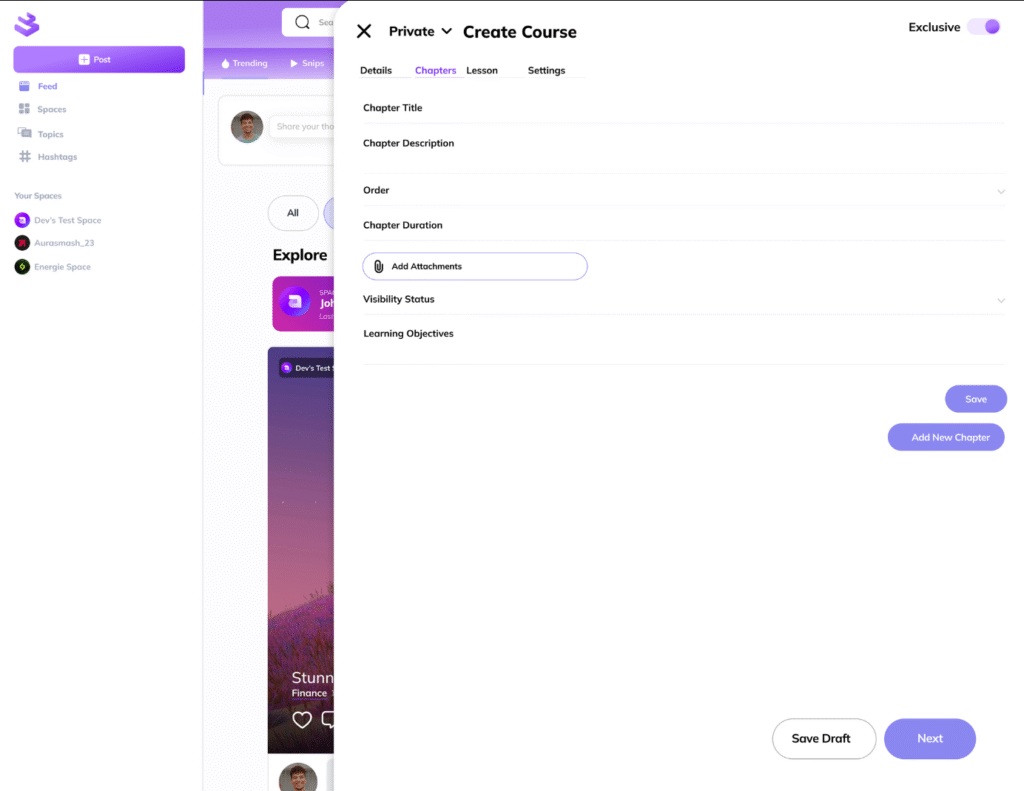
Tribiut’s courses allow creators to add multiple Chapters; each chapter needs to include a chapter title, description, order and duration. Creators have the option of adding attachments to their chapters.
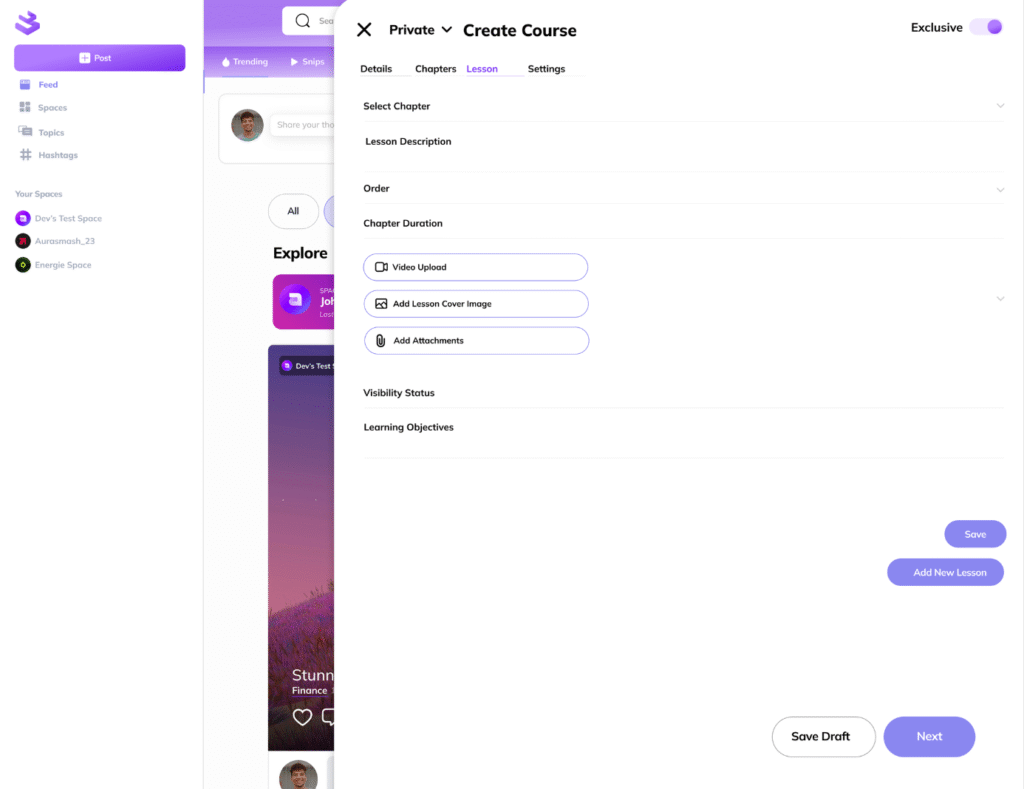
Each Chapter can contain multiple Lessons. To create lessons, creators may add video content, static images or attachments.